Collection structure
Organise products into useful zones, themes or curated views.
Explore products and collections through an immersive digital environment.
Guide visitors from a spatial collection to product detail and an agreed action.
Discuss this solutionAgree the collection, scene scope, movement model, device budgets and enquiry or commerce destinations. The showroom illustration is not a navigable runtime or an approved walkthrough film.
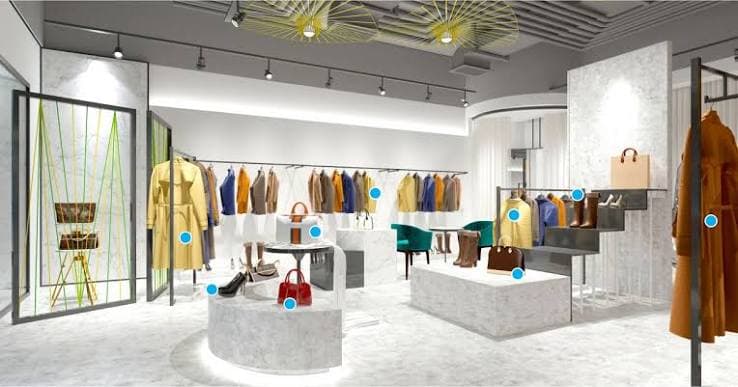
Image-based preview. A working experience will be offered after approval.
Discuss Virtual ShowroomUse zones, clear product entry points and readable navigation to support the collection. The spatial experience and the product information need a deliberate route between them.
A collection needs a navigable context rather than an undifferentiated list.
Brand, showroom and collection teams. Collection discovery and curated brand environments.
Introduce the environment and navigation.
Organise products into useful zones, themes or curated views.
Carry the selected product into detail and supported related experiences.
Confirm touch, keyboard and device behaviour, plus an accessible alternative product route.
Agree navigation, product information and the next enquiry or commerce destination.
Agree the collection, scene scope, movement model, device budgets and enquiry or commerce destinations. The showroom illustration is not a navigable runtime or an approved walkthrough film.
Agree the publication destination, content approval and the next enquiry or commerce step. Product experiences remain connected to the existing 3rDoor delivery platform where included in the project.
No. It is an illustrative environment image. A published walkthrough or interactive environment is offered only after content and delivery approval.
Agree navigation, product information and the next enquiry or commerce destination.
No. Images and process diagrams illustrate the scope. A working example is identified separately after its content and delivery have been verified.
Deliverables, revisions, rights, supported interaction and integrations are defined in the agreed scope. Example media does not establish those services.
Guide visitors from a spatial collection to product detail and an agreed action.
Book a Demo